
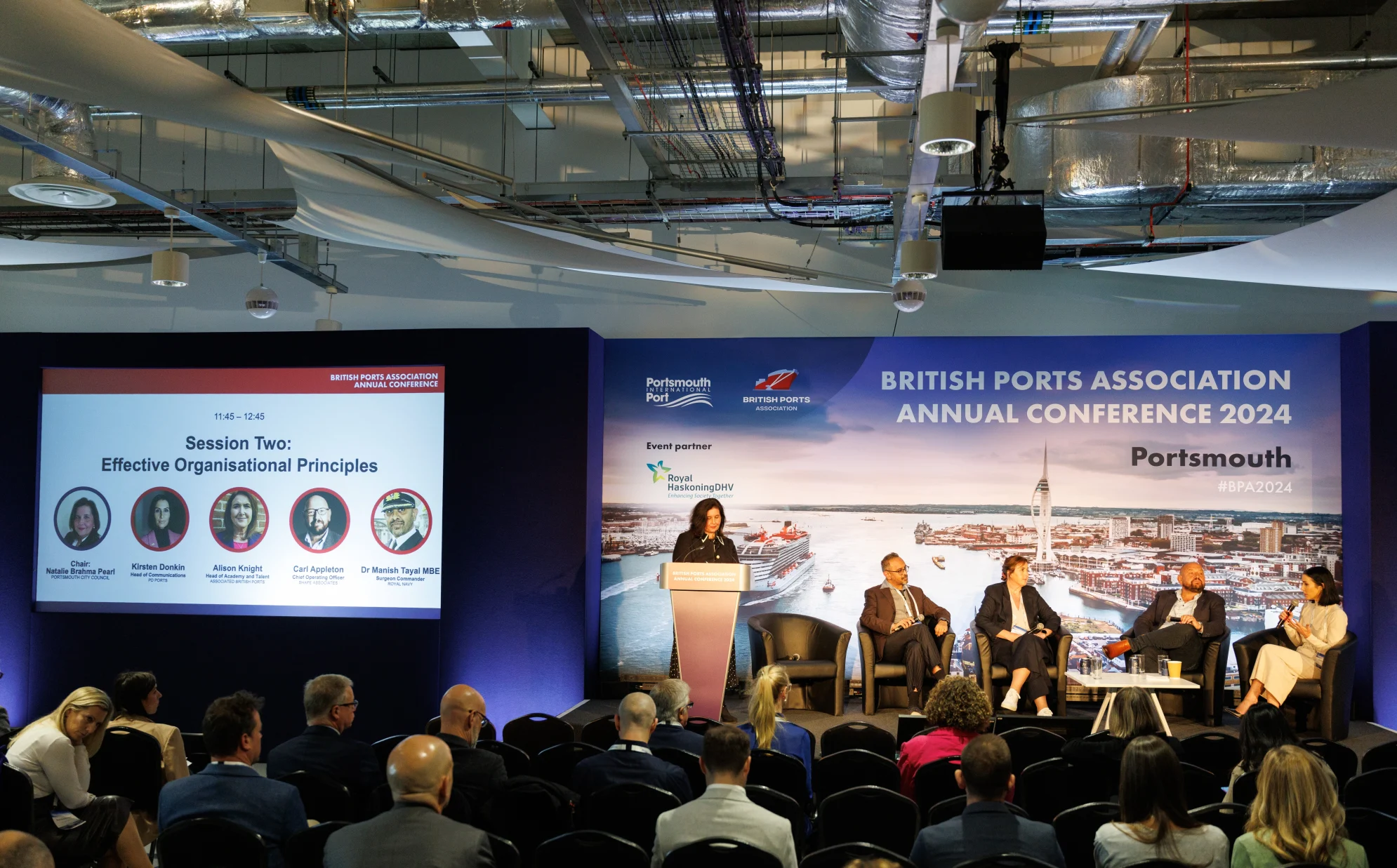
Social media event marketing: how to promote an event on social media
Social media can help you promote an event before it takes place, share the experience as it unfolds and continue the conversation afterwards. It gives you a direct way to reach potential attendees, answer questions, build interest and show people why your event is worth their time.
But effective event promotion takes more than posting the occasional reminder. You need to understand your audience, choose the right platforms and create content that captures attention, combining organic content with targeted paid advertising.
Below, we share our top tips for promoting an event on social media.
1. Set clear objectives
Before creating content, decide what you want your social media activity to achieve. You might want to sell tickets, generate registrations, attract visitors to an exhibition stand or raise awareness of your organisation.
Setting objectives will help you choose the right content, calls-to-action and measures of success. For example, if registrations are the priority, you should track clicks and completed bookings rather than focusing on likes.
It’s also important to decide who you want to reach. Think about where they are based and what interests them. Most importantly, consider what would persuade them to attend. A potential delegate at an industry conference may want to know what they’ll gain from attending, while someone considering a public event may be more interested in the performers and activities on offer.
2. Choose the right social media platforms
You don’t need to use every social media channel. Focus on the platforms your audience already uses and the formats that best suit your event.
LinkedIn can work well for conferences, networking sessions, seminars and business events, whereas Instagram and TikTok are useful for visually striking events and short-form video. Facebook event pages can provide a central place for practical information and updates, particularly for public and community events.
Whichever platforms you choose, adapt your posts to each one. Every channel has its own audience and conventions, so reproducing exactly the same content everywhere can make it less effective.
3. Create a social media content plan
A content plan will help you maintain momentum without repeating the same message. Start by mapping the important points in your event calendar, including:
- The initial event announcement
- Tickets or registrations opening
- Early-bird deadlines
- Speaker, performer or exhibitor announcements
- Programme highlights
- Venue and travel information
- The final countdown
- Live event coverage
- Post-event highlights
Decide who will write each post and who needs to approve it before publication. You should also identify the photographs, graphics and videos you’ll need, allowing time to produce them.
Not everything needs to be scheduled in advance. Leave room for timely announcements, responses to questions, as well as spontaneous content that can capture moments a planned post might miss.
4. Make your event easy to recognise
Create a clear visual identity that connects your social media content with the event. Consistent colours, typefaces, imagery and messaging will help posts stand out and become familiar over time.
If you use an event hashtag, keep it short and distinctive. Introduce it early and include it on promotional material so attendees know how to join the conversation.
Accessibility should be considered when producing content. Add captions to videos, provide alt text for images and use clear colour contrast and readable text. Avoid placing important details only within an image, as these may not be accessible to everyone.
5. Build interest with organic content
Organic content can introduce the event and demonstrate its value. Instead of repeatedly telling people to register, give them different reasons to take an interest.
Event promotion ideas for social media include:
- Announcing speakers, performers or exhibitors
- Sharing short interviews or video messages
- Introducing the people organising the event
- Posting photographs and highlights from previous events
- Providing behind-the-scenes previews
- Explaining what attendees will learn or experience
- Answering frequently asked questions
- Running polls and inviting audience questions
- Sharing testimonials from previous attendees
- Posting countdown reminders
- Highlighting booking deadlines or limited availability
Encourage speakers, sponsors, exhibitors and partner organisations to share content through their own channels. Providing suggested wording, graphics and the correct booking link can make this easier and extend your reach into relevant networks.
Always reply promptly to comments and questions, thank people for sharing posts and take part in relevant conversations where you have something useful to add.
Pre-event social media post examples
Event announcement
Save the date. [Event name] is coming to [location] on [date].
Join us for [brief description of the experience or benefit].
Find out more and register: [link]
Speaker announcement
We’re delighted to welcome [speaker name] to [event name].
They’ll be discussing [subject] and sharing practical insights into [audience benefit].
Book your place: [link]
Countdown post
Only one week to go until [event name].
Here are three things you can look forward to:
- [Highlight]
- [Highlight]
- [Highlight]
Register before [deadline]: [link]
Behind-the-scenes post
Preparations are under way for [event name].
Here is a first look at [the venue, exhibition, stage or activity] before we open the doors on [date].
Will you be joining us? [link]
6. Use video to show the experience
Video can help potential attendees picture themselves at your event. It doesn’t always need to be highly polished. Short, natural clips provide a convincing sense of the people, atmosphere and experience involved.
Footage from a previous event can be turned into teaser videos, speaker clips or attendee testimonials. If it’s a new event, ask the organisers to explain the idea on camera. You could also show preparations taking place or give viewers an early look at the venue.
7. Support organic promotion with paid advertising
Paid advertising can help you reach people beyond your existing followers and encourage more registrations or ticket sales. Before you begin, be clear about what the campaign needs to achieve and how much you can spend. Use this to define the audience you want the advertising to reach.
Depending on the platform, you can target people by factors such as location, interests, job role or previous interaction with your organisation. You can also retarget people who have visited the event page or responded to earlier content but haven’t completed a booking, subject to data protection and consent requirements.
Rather than putting your entire budget behind one advert, test different combinations of copy, imagery, video and calls-to-action.
8. Capture and share content during the event
Social media and event management should be planned together. Decide in advance who will capture the content and how quickly it can be approved. It also helps to identify the moments you want to cover, without making the plan so rigid that spontaneous opportunities are missed.
Useful content during an event might include:
- Guests arriving at the venue
- Short clips from speeches or performances
- Photographs of well-attended sessions
- Quotes and key takeaways from speakers
- Interviews with delegates
- Behind-the-scenes footage
- Live questions and polls
- Updates about forthcoming sessions
- Attendee posts and reactions
Where appropriate, invite attendees to tag your account and use the event hashtag.
9. Continue promoting post-event
Social media marketing of events shouldn’t finish when the doors close. Post-event content can extend the life of the event and support promotion of future activity.
Post-event social media post examples include:
- “Thank you to everyone who joined us yesterday. Here are some of our favourite moments from the day.”
- “What was your highlight? Share your photographs using [event hashtag] and tag us.”
- “Three key takeaways from our discussion on [subject].”
- “Couldn’t attend? Watch the highlights and register for updates about our next event.”
- “Save the date: we’ll be returning on [date]. Sign up to be the first to hear more.”
You can also create highlight videos, image galleries, blogs, speaker interviews and short clips from recorded sessions.
10. Measure what worked
Review performance against the objectives set at the beginning. Relevant measures might include:
- Reach and impressions
- Video views and viewing time
- Comments, shares and saves
- Clicks to the event webpage
- Registrations or ticket sales
- Cost per result from paid advertising
- Use of the event hashtag
- Audience growth
- Registrations for future updates
Use trackable links to identify which platforms and posts generated visits and bookings. Compare content formats, messages, platforms and publishing times to understand what your audience responded to.
It’s also helpful to record what didn’t work. These findings can improve your social media and event marketing for the next campaign.
We’re here to help
Freshwater helps organisations plan and deliver events supported by creative, targeted social media campaigns. If you need help promoting your next event, get in touch via hello@freshwater.co.uk or call 029 20 30 40 50.